Price Alerts on Perps: Mark Price, Levels, Delivery
Price alerts on perps close nothing. See which price they watch (mark, last, index), how to set levels by liquidation distance and push limits.
Published 10 min read
On this page
- Key takeaways
- What a price alert does on a perp position, and what it does not
- Mark, last or index: which price your alert watches
- How Hyperliquid uses oracle and mark prices
- Choosing alert levels: percent distance, not round numbers
- Alert fatigue: fewer alerts that you actually act on
- Push vs in-app alerts: late, missed and silenced notifications
- Price alert vs stop loss vs liquidation alert
- Price alerts across Hyperliquid, Aster and Lighter in one app
- Sources
- Frequently asked questions
- Does Hyperliquid use an oracle price or the mark price?
- How are perp price alerts different from flight or online store price alerts?
- Can a price alert close my position or stop a liquidation?
- Why did my alert fire when my position was not close to liquidation?
- Will a push price alert always reach me in time?
A price alert on a perp position is a notification, not an order. It watches one price, sends you a message when that price is crossed, and leaves your position open. To rely on price alerts with leverage, you need three things: know which price the alert watches (last, mark or index), set levels by percent distance from entry and from the venue's liquidation price, and treat push delivery as best-effort. A stop order on the venue, not an alert, is what closes a position.
Key takeaways
- A price alert places no order and closes nothing. Only an order on the venue, such as a stop loss or take profit, executes.
- Aster's documentation states that the mark price, not the last trade, is used for unrealized PnL and for triggering liquidations (checked November 2026).
- An alert on last price can fire on a short wick while the mark price barely moves, and the reverse can also happen.
- Alert levels tied to a percent of the distance to your liquidation price stay meaningful when leverage or size changes. Round numbers alone do not.
- Push notifications depend on OS permissions, focus modes, battery saving and network. On iPhone, web push needs iOS 16.4 or later.
What a price alert does on a perp position, and what it does not
A price alert watches a price and tells you when it is crossed. It does not place, change or close any order on Hyperliquid, Aster or Lighter.
Shopping price trackers, such as those for flights or online stores, wait for one thing: a price drop. A perp trader needs something different:
- Alerts in both directions, because a long and a short are hurt by opposite moves.
- Alerts tied to a position, its entry and its liquidation price, not to an item you might buy later.
- Alerts that fire in time to act, because the position keeps running while you read the message.
Leverage is the reason this matters. At 10x, a 1% price move is about a 10% change in the margin behind the position. A missed alert does not cost you a discount. It can mean the position reaches liquidation and you lose the whole margin committed to it.
Mark, last or index: which price your alert watches
An alert can watch one of three prices, and only one of them usually drives liquidation: the mark price.
- Last price. The most recent trade on the order book. Aster's mark price documentation says it "can fluctuate more quickly during high volatility."
- Index price. Per Allium's perpetuals glossary, the "reference price of the underlying, typically an oracle or blended spot feed."
- Mark price. The same glossary defines it as "the price used for margining, PnL, and liquidation." Aster's docs say the mark price is used "for calculating a trader's unrealized profit and loss (PnL) and for triggering liquidations."
The gap between them is the risk. Aster notes that "During high volatility or abnormal conditions, the Mark Price may deviate from the Last Price." A wick on last price can set off an alert while mark price holds. A slow grind in mark price can bring you near liquidation while last-price alerts stay quiet. Before relying on any alert, check in the tool's settings or documentation which price it uses.
How Hyperliquid uses oracle and mark prices
Venues differ in the details. Hyperliquid's funding documentation states that for funding "the spot oracle price is used to convert the position size to notional value, not the mark price." For Hyperliquid-only perps, the Hyperps docs say they "do not require an underlying spot or index oracle price" and that their mark price is "capped at 3x the 8-hour mark price EMA." Markets run by deployers can use their own method: trade[XYZ]'s docs describe a mark price that is "the median of three components" and is used for "margining, liquidations, stop/limit triggers, and unrealized P&L." Read the docs of the exact market you trade.
Choosing alert levels: percent distance, not round numbers
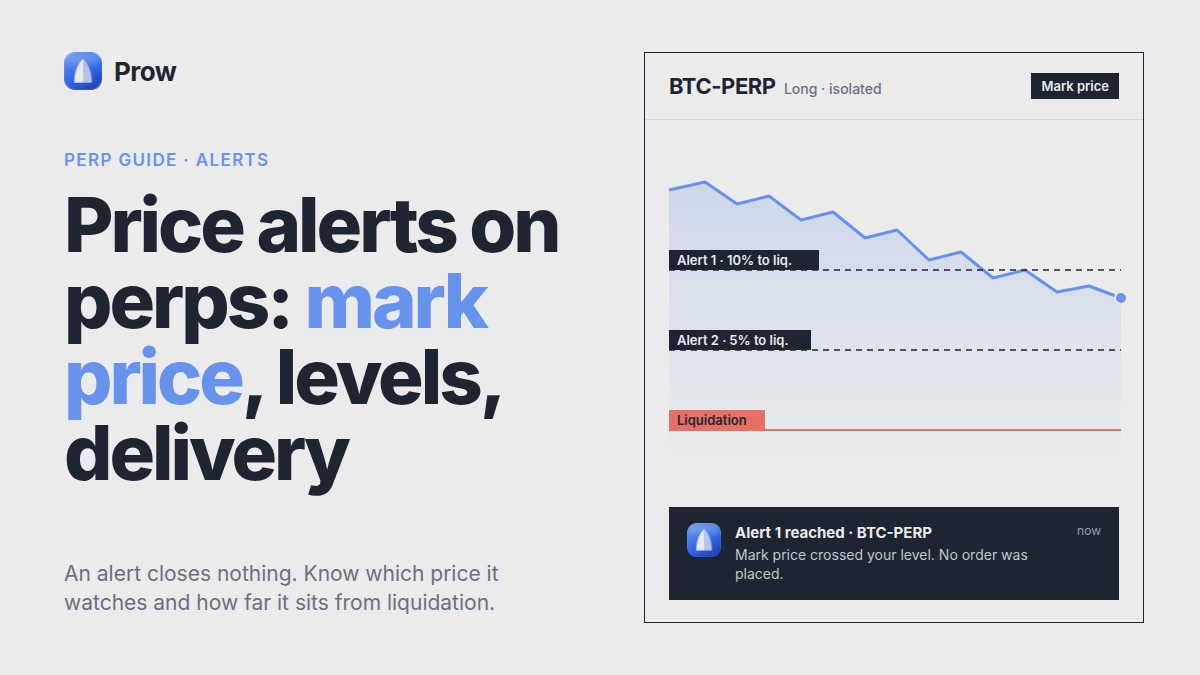
Place alerts as a percent of the distance between your entry and the liquidation price your venue reports. That keeps each alert tied to how much room the position actually has.
Illustrative example, not a recommendation: an isolated 10x long on a market with 1.25% maintenance margin has about 8.9% of room to liquidation before fees and funding, as shown in our guide to max leverage and liquidation risk. With an entry at 100:
- First alert at about one-third of the room: roughly 3% below entry, near 97.0.
- Second alert at about two-thirds: roughly 5.9% below entry, near 94.1.
- Liquidation sits near 91.1. Take the exact number from the venue, not from this sketch.
The venue's figure moves with fees, funding and margin changes; see how the liquidation price is calculated and moved. Round numbers draw crowded orders and wicks, so use them as context, not as the only trigger. Scale distances to how far the market usually moves, and check volume and open interest on the perp markets on Hyperliquid, Aster and Lighter page, noting the timestamp of the data.
Alert fatigue: fewer alerts that you actually act on
Keep only alerts you are ready to act on. Too many alerts get muted, and then the one that matters is muted too.
A short routine helps:
- One planned action per alert. Write it down when you create the alert, for example "review margin" or "check funding". If you cannot name an action, you probably do not need the alert.
- Two or three alerts per position. Use one early warning and one late warning, plus the liquidation alert.
- Clean up after changes. Delete or move alerts when a position closes, when you add or cut size, or when you change leverage. The old levels no longer match the new liquidation price.
- Separate attention from danger. Price alerts can be routine. Keep liquidation alerts on push and never mute them.
If you trade on several venues, review alerts in one place so a closed position on one venue does not leave stale alerts firing.
Push vs in-app alerts: late, missed and silenced notifications
An in-app alert only reaches you while the app is open. A push alert can arrive when the app is closed, but its delivery is best-effort, not a guarantee.
What can delay or hide a push:
- Notification permission denied or revoked for the browser or home-screen app.
- On iPhone, web push requires iOS 16.4 or later.
- Do Not Disturb, focus or sleep modes.
- Battery saving that limits background activity.
- A weak or lost network connection.
Timing matters as well. In a fast market, the time from trigger to delivery, plus the time you need to read, decide and act, can be longer than the time the position has left before liquidation. Test push once on each device you use, and check settings after OS updates. The alerts documentation explains how to turn on push for a device.
Price alert vs stop loss vs liquidation alert
The three tools split the work. A price alert asks for your attention, a liquidation alert warns about margin, and a stop loss or take profit executes on the venue.
- Price alert. Watches a level you chose. Sends a message. Does nothing to the position.
- Liquidation alert. Watches how close the position is to its liquidation price, which moves with margin, fees and funding. Thresholds are covered in our guide to perp liquidation alerts across DEXs.
- Stop loss / take profit. An order held by the venue. It can trigger while your phone is off.
None of them removes leverage risk. A stop can fill at a worse price than its trigger in a fast or thin market. Aster, for example, describes "Last trade price protection" where a trade deviating "more than 5% from the Mark Price" with no new trade "within 5 seconds" is replaced by the mark price in calculations, which shows how far prices can split in stress. An alert can arrive late or not at all.
Price alerts across Hyperliquid, Aster and Lighter in one app
Prow shows positions, orders, price alerts and liquidation alerts for Hyperliquid, Aster and Lighter in one list, in the app and as push notifications. You get price and liquidation alerts in one app without switching between three venue front-ends.
What stays where:
- Funds stay in each venue's own account. Prow does not hold them.
- The trading key is created in your browser and confirmed once with your wallet. It is stored encrypted on your device, is not sent to Prow's servers, cannot withdraw, expires in 180 days and can be revoked at any time.
- Fees: 0% Prow fee until Dec 31, 2026, then 0.025% per order on top of venue fees, none on Lighter Standard.
The same coin can trade at different prices and funding on each venue, so an alert level on one venue does not carry over to another. Check the free funding rates and perp markets pages, updated about every minute, and note the time of the data.
An alert is a message. It places no order and moves no margin. If you hold a long on one venue and a short on another, each leg has its own margin and its own liquidation price, and an alert on one leg does nothing for the other. The only thing that acts while you are away is an order resting on the venue, such as a stop loss, and a stop order can still fill worse than its trigger in a fast market. With leverage, the margin on a position can be lost in full before you read the notification.
Sources
- Mark Price | Aster, Aster
- Concepts - Allium Documentation Hub, Allium
- Funding | Hyperliquid Docs, Hyperliquid
- Hyperps | Hyperliquid Docs, Hyperliquid
- Mark Price – tradeXYZ Docs, tradeXYZ
Frequently asked questions
Does Hyperliquid use an oracle price or the mark price?
It depends on the purpose and the market. Hyperliquid's funding docs say the spot oracle price, not the mark price, converts position size to notional for funding. Hyperliquid-only perps (Hyperps) need no underlying oracle, and markets run by deployers can set their own mark price method, so check the docs of the exact market you trade.
How are perp price alerts different from flight or online store price alerts?
Shopping and airfare trackers usually wait for one thing: a price drop on an item you might buy later. On a leveraged perp you need alerts in both directions, tied to your entry and liquidation price, and fast enough to act on. A missed shopping alert costs a discount, while a missed perp alert can mean liquidation and the loss of the whole margin.
Can a price alert close my position or stop a liquidation?
No. An alert only sends a notification and leaves the position open. Only an order on the venue, such as a stop loss or take profit, executes, and an alert does not reduce leverage risk.
Why did my alert fire when my position was not close to liquidation?
Your alert probably watched the last price, which can wick sharply on a single trade while the mark price barely moves. Liquidation is usually triggered by the mark price, so check which price your alert tool uses before you rely on it.
Will a push price alert always reach me in time?
Treat push delivery as best-effort. It depends on OS permissions, focus modes, battery saving and the network, and web push on iPhone needs iOS 16.4 or later. Use a stop order on the venue for anything that must execute.