Secure Crypto Trading App: 10 Key Checks for Perp DEXs
Verify a secure crypto trading app for Hyperliquid, Aster and Lighter. 10 checks for trading keys: creation, signing, storage, expiry, revocation.
Published 11 min read
On this page
- Why a DEX trading key is not a CEX API key
- Checks 1–2: Where and how the key is created
- Check 1: The key is generated in your browser
- Check 2: No seed phrase, no main wallet private key
- Checks 3–4: What your wallet actually signs
- Check 3: One signature to approve the key
- Check 4: Read the payload before approving
- Checks 5–6: Where the key lives after setup
- Check 5: Stored encrypted on your device
- Check 6: Not synced to the app's servers
- Checks 7–8: Expiry and what you can see on the venue
- Check 7: The key has a defined expiry
- Check 8: The key is visible on the venue itself
- Checks 9–10: Revocation and what a key still allows
- Check 9: You can revoke at any time, from both sides
- Check 10: Know what a valid key can still do
- How Prow handles keys on Hyperliquid, Aster and Lighter
- The 10-point checklist in one view
- Frequently asked questions
- Can a stolen trading key withdraw my funds from a perp DEX?
- What happens to my funds if the trading app stops working?
- Why do I have to approve a new trading key on another device or after clearing my browser?
- Does a non-custodial app protect me from liquidation?
- How long does a Prow trading key stay valid?
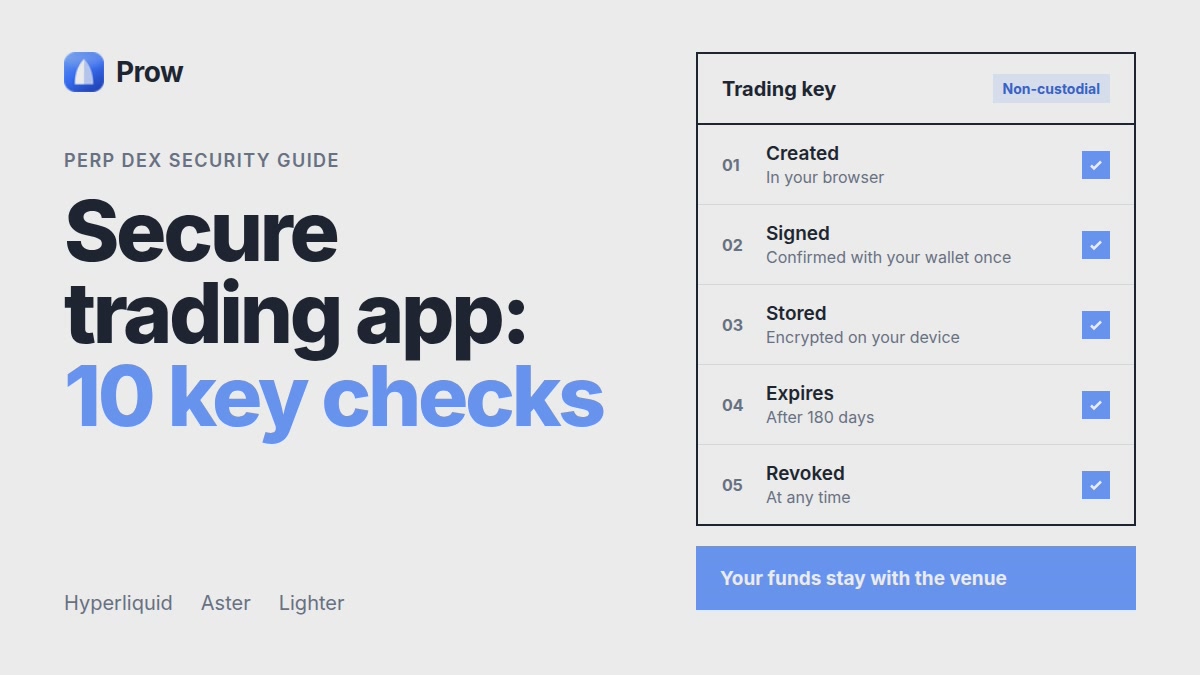
A secure crypto trading app for perp DEXs is one where you can check the security claims yourself. Before you connect any interface or bot to Hyperliquid, Aster or Lighter, confirm five things: the trading key is created in your browser, your wallet signs once to approve it, the key is stored encrypted on your device, it expires, and you can revoke it. This article gives 10 checks across those five stages. Each check comes with a way to verify it using browser dev tools, your wallet's signing prompt or the venue's own interface. It also covers what a well-built key setup cannot protect you from.
Why a DEX trading key is not a CEX API key
Most advice about API key safety comes from centralized exchanges: whitelist an IP, turn off withdrawal permission, paste the key into the bot. Perp DEXs work differently.
- On a CEX, the exchange generates the key and you hand it to a third party.
- On a perp DEX, the app generates a separate signing key, and your main wallet authorizes it with a signature. The key signs trading actions for your account. It is not your wallet.
- Funds stay in your venue account. The app does not hold your collateral. Our guide on where funds stay in non-custodial perp trading explains this.
- The key's scope is limited. On Hyperliquid an approved agent (API) wallet can place and cancel orders but cannot withdraw. The details are in our guide to Hyperliquid agent wallets and why a trading key can't withdraw. This article does not repeat them.
A limited scope does not make a key harmless. The checks below show why.
Checks 1–2: Where and how the key is created
Check 1: The key is generated in your browser
The private key should be created on your device, not on the app's server. If a server creates it, the server has a copy.
How to verify:
- Open browser dev tools and go to the Network tab before you start key setup.
- Run the setup.
- Look at the request payloads sent to the app's own servers. You may see a public address. You should never see a 64-character hex private key or an encrypted blob described as the key.
The signed approval that goes to the venue contains the agent's address, not its private key.
Check 2: No seed phrase, no main wallet private key
A trading app has no reason to ask for your recovery phrase or your main wallet's private key. The trading key exists so your main wallet never leaves your wallet software.
Checks 3–4: What your wallet actually signs
Check 3: One signature to approve the key
Expect one signature to authorize the trading key. After that, the key signs orders on its own. If your wallet prompts you on every order, either the app is not using a trading key or something else is being requested.
Check 4: Read the payload before approving
Your wallet shows what you are signing. Read it.
- On Hyperliquid, the action should be an agent approval (
approveAgent) that names the agent address. It should not be a transfer, a withdrawal or a token permit. - Compare the agent address in the prompt with the one the app shows you, if it shows one.
- Check the chain and the domain in the prompt.
Red flags:
- Repeated signature prompts you did not expect
- Payloads shown as unreadable hex with no structured fields
- Any mention of transfer, withdraw, or an unlimited token approval
If you cannot tell what a signature does, do not sign it.
Checks 5–6: Where the key lives after setup
Check 5: Stored encrypted on your device
After approval, the app needs the key to sign orders. It should keep the key encrypted in browser storage on your device, and its documentation should say so plainly.
How to verify: read the app's security docs. In dev tools, open the Application or Storage tab and look at local storage and IndexedDB for the site. You should not find a readable private key.
Check 6: Not synced to the app's servers
If the key stays on your device, it cannot follow you to another device. That is a feature.
How to verify: open the app in a different browser or a private window and log in. If your trading key is already working there without a new wallet approval, it was stored somewhere other than your device.
On-device storage moves the risk to you. A browser extension with broad permissions, malware or an unlocked shared device can expose a stored key. Keep the browser up to date, limit extensions and lock your device.
Checks 7–8: Expiry and what you can see on the venue
Check 7: The key has a defined expiry
A key with no end date stays valid until you remember to revoke it. A key with an expiry becomes useless on its own.
- Prow trading keys expire after 180 days.
- Hyperliquid can also enforce expiry and pruning rules on the venue side, described in its API wallet documentation. Our agent wallet guide covers them. Check Hyperliquid's current docs before relying on any specific limit, because venue rules change.
How to verify: the app should state the expiry in its docs or interface. Write the date down.
Check 8: The key is visible on the venue itself
Do not rely only on the app's screen. On Hyperliquid, authorized API wallets appear in the API section of the Hyperliquid web interface for your account. Compare the address there with the one you approved. If you find addresses you do not recognize, revoke them.
For Aster and Lighter, check where their own interfaces list API keys. We have not confirmed in Lighter's documentation that its key rules match Hyperliquid's on scope, expiry or visibility. Do not assume they do. Read Lighter's docs for the current rules.
Checks 9–10: Revocation and what a key still allows
Check 9: You can revoke at any time, from both sides
You should be able to revoke a key from the app and also directly on the venue. The venue-side route matters because it works even if the app is down or no longer exists.
How to verify: revoke a key once on purpose, then try to place an order through the app. It should fail until you approve a new key.
Revoke a key when:
- You stop using an app or bot
- You lose a device or suspect it is compromised
- You see a key on the venue that you did not create
Check 10: Know what a valid key can still do
A trading key that cannot withdraw can still trade. Whoever holds a valid key can:
- Open new positions at the leverage the venue allows
- Add to or close existing positions
- Cancel your orders, including stop orders
A leaked key can produce losses up to the whole deposit without a single withdrawal. Bad trades, forced liquidations or deliberately poor fills can all drain an account.
How Prow handles keys on Hyperliquid, Aster and Lighter
Instead of restating the setup flow, here is how Prow's key model answers the checks above, and which checks you still have to run yourself on each venue.
| Check | What Prow states | What you still verify |
|---|---|---|
| 1–2. Where the key is created | In your browser, at the moment you connect a venue | That the connect page is the one you expect before your wallet opens |
| 3–4. What the wallet signs | One confirmation per key, not one per order | The text of that single request in your wallet, line by line |
| 5–6. Where the key lives | Encrypted on your device, not sent to Prow servers | Who else can use that device and browser profile |
| 7–8. Expiry and visibility | A fixed 180-day lifetime | How and whether the venue lists the key on its side |
| 9–10. Revocation and scope | Revocable at any time | What the key can do on that venue until it is revoked |
The right-hand column is the point. A key model can settle where a key is born and stored. It cannot settle what the venue lets that key do. That is defined by Hyperliquid, Aster and Lighter, each in its own docs, for its own account.
The accounts stay separate. Connecting three venues means three accounts and three keys, with collateral held in each venue's account, not in Prow. A problem with one key does not give access to the other two. It also means three keys to track, three expiry dates and three places to revoke.
Two limits are worth stating plainly:
- Encrypted on the device is not the same as safe from the device. If the phone or browser profile itself is compromised, the key is exposed along with it. Revoking is the response, not a fix in advance.
- A key that can trade can lose money. Even with no access to withdrawals, it can open leveraged positions, and a leveraged position can be liquidated down to the full margin behind it.
Where a venue's own documentation does not confirm a rule, as with parts of Lighter's key rules, we leave it out of this article rather than guess. Setup steps for each venue are in Prow Docs, and the full key model is in trading keys and safety.
The 10-point checklist in one view
- Key created in browser: the Network tab shows no private key in any request.
- No seed phrase requested: the setup flow never asks for it.
- One approval signature: the wallet prompts once, not on every order.
- Readable payload: an agent approval that names the key's address, with no transfer or withdrawal.
- Encrypted on device: stated in the docs, and no plaintext key in browser storage.
- Not synced: a new browser or device requires a new approval.
- Defined expiry: a date is stated (180 days for Prow), and you have written it down.
- Visible on the venue: the key's address appears in the venue's own interface.
- Revocable from both sides: tested once from the app and once from the venue.
- Limits understood: you accept that a valid key can open and close leveraged positions.
Stop signals:
- A request for your seed phrase or main private key
- The key is stored on the app's server
- No stated expiry
- No way to revoke the key, or revocation only through the app
- Signature payloads you cannot read
A secure key setup protects how access to your account is granted. It does not reduce market risk, liquidation risk or the risks of the venue itself. Leveraged perps can lose the whole deposit whatever app you use. For more on fees, funding and how each venue works, see the perp trading guides.
Frequently asked questions
Can a stolen trading key withdraw my funds from a perp DEX?
On Hyperliquid, Hyperliquid's API wallet documentation says an approved agent wallet can place and cancel orders but cannot withdraw. For Aster and Lighter, read each venue's current docs before assuming the same rules apply. Even without withdrawal rights, someone holding the key can open or close positions. With leverage, that can cost you the whole deposit, so revoke a key you think is exposed.
What happens to my funds if the trading app stops working?
In a non-custodial setup, your collateral stays in your account on the venue, not with the app. You can still reach that account through the venue's own interface by connecting your main wallet. From there you can manage positions and revoke the app's trading key.
Why do I have to approve a new trading key on another device or after clearing my browser?
When the key is stored encrypted only on your device, it does not exist anywhere else. A new browser, a new device or cleared site storage means the app no longer has the key. Your wallet then signs one new approval. This is expected, and it shows the key was not kept on the app's servers.
Does a non-custodial app protect me from liquidation?
No. Non-custody covers who holds your funds and keys. It does not cover market risk. Leveraged positions can still be liquidated, and you can lose the whole deposit. Liquidation alerts help you watch your positions, but they do not stop a liquidation.
How long does a Prow trading key stay valid?
Prow trading keys expire after 180 days, according to Prow's documentation. You can revoke a key earlier at any time. After a key expires or is revoked, you approve a new one with a single wallet signature.