Aster DEX: One Perp Trade from Deposit to Withdrawal
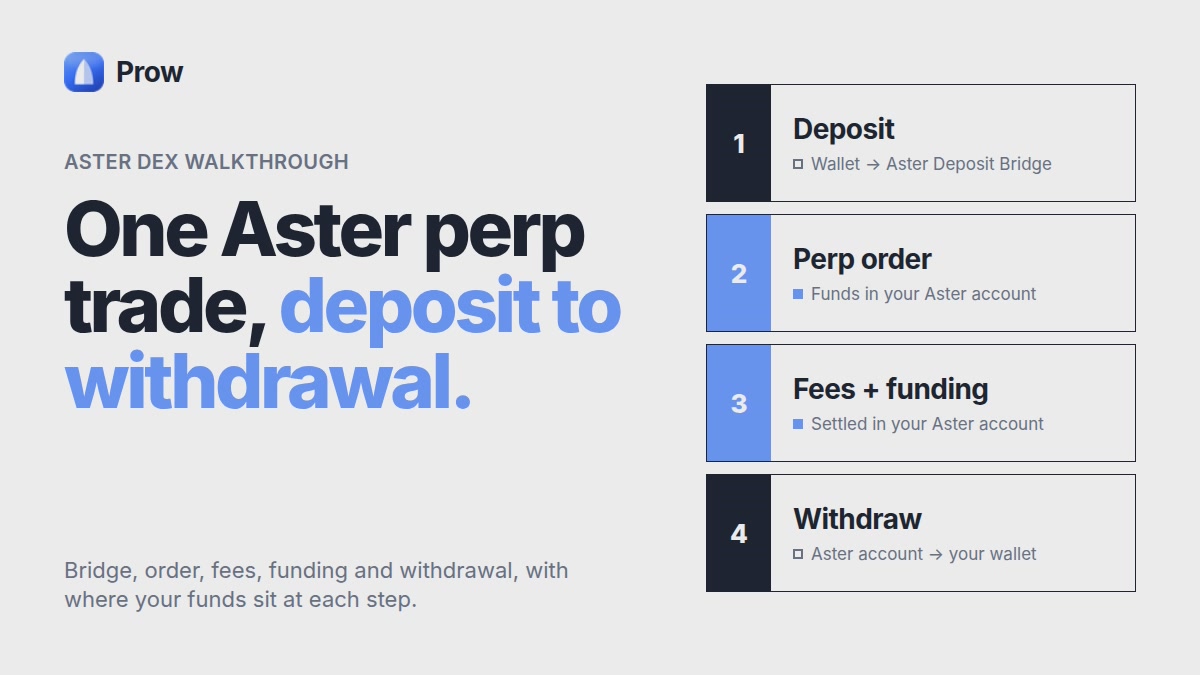
Aster DEX walkthrough: deposit via the Aster Deposit Bridge, a perp order, fees, funding and withdrawal, with where your funds sit at each step.
Published 10 min read
On this page
- Key takeaways
- What Aster DEX is: chains, perps and spot, who holds your funds
- Before you start: wallet, collateral and region checks
- Deposit: networks, confirmations and address checks
- Your first perp order: order type, leverage and liquidation price
- What the trade costs: maker/taker, funding and builder fee
- Closing, withdrawing and checking your history
- Trading Aster next to Hyperliquid and Lighter from one list
- Sources
- Frequently asked questions
- What chain does Aster DEX run on?
- What is the Aster perp DEX and who holds the funds?
- How does funding work on Aster DEX?
- Is this article about the ASTER token?
- Can I use Aster DEX from the USA?
Aster DEX is an order-book exchange for perpetual futures and spot. Deposits go in through the Aster Deposit Bridge on BNB Chain, Ethereum and Arbitrum, and order-book trading runs on Aster Chain, Aster's own Layer 1. Most search results for "aster dex" cover the ASTER token. This walkthrough follows one perp trade instead, from deposit to a closed position and a withdrawal. At each step it states where your funds sit, what the step costs and what can go wrong. Figures come from Aster's documentation and carry a date. They are not current unless a date says so.
Key takeaways
- Aster's fee docs list a 0% maker fee and a 0.04% taker fee at the base tier on its main USDT perps, with lower rates by VIP tier (Aster docs, as of November 2026).
- Deposits and withdrawals on BNB Chain, Ethereum and Arbitrum pass through the Aster Deposit Bridge, while the order book runs on Aster Chain.
- On a withdrawal, the receiving wallet gets the amount minus a fee, so check the net figure before you confirm.
- Funds stay in your Aster account at every step of the trade, and a leveraged position can still lose the whole margin behind it.
- Through Prow the order still goes to Aster and the funds stay in the Aster account. The trading key is stored encrypted on your device.
What Aster DEX is: chains, perps and spot, who holds your funds
Aster is a decentralized exchange with a perp order book and spot markets. Your collateral sits in your own Aster account, linked to your wallet. Aster's perpetuals documentation says "Perps are available on all supported chains on Aster." It also describes a "Multi-asset mode: Trade using a variety of cryptocurrencies as margin". The main perps are USDT-margined.
On the chain question, Bitquery's AsterDEX API docs state: "Order-book trading runs on Aster Chain, Aster's own Layer 1." The same page notes that the older Simple Mode (1001x) contract on BNB Chain "stopped opening new trades in May 2026".
Non-custodial protects you from one thing only: an app holding your money. Other risks remain:
- smart-contract and bridge risk
- venue risk, such as outages and rule changes
- liquidation of a leveraged position
Before you start: wallet, collateral and region checks
You need a self-custody wallet, collateral on a supported network, and the right to trade where you live. Trading is 18+ only. Read Aster's terms on restricted regions before you deposit. Note that Prow is not available in the US, UK, EU, UAE, Ontario (Canada), Cuba, Iran, North Korea, Syria, Russia, Belarus or occupied regions of Ukraine.
Checklist:
- Keep your seed phrase offline. No exchange or app should ever ask for it.
- Check the accepted collateral and any minimum deposit on Aster's deposit screen on the day you deposit. Do not rely on old screenshots.
- Hold a small amount of the network's gas token (BNB on BNB Chain, ETH on Ethereum or Arbitrum) to pay for the deposit transaction.
- Decide your margin asset first. USDT margin is the default on the main perps, and multi-asset mode is optional.
Where the funds sit: in your wallet.
Deposit: networks, confirmations and address checks
Pick the network in Aster's deposit screen first, then send from that same network. According to Bitquery, deposits on BNB Chain, Ethereum and Arbitrum "pass through the Aster Deposit Bridge".
Checks that prevent a lost deposit:
- The network name in your wallet matches the network selected on Aster.
- The token contract is the one Aster accepts on that network.
- The first and last characters of the deposit address match.
- You send a small test amount first and wait until it is credited.
Cost of this step: the network gas fee, set by the network and not by Aster. It varies with congestion, so read it in your wallet before you sign.
What can go wrong: a network mismatch or a wrong token can make funds hard or impossible to recover.
Where the funds sit: in your Aster account balance, not in any app.
Your first perp order: order type, leverage and liquidation price
Set margin mode and leverage before you enter size, then read the liquidation price on the ticket before you confirm. The order type also sets your fee:
- Market order: fills at once against resting orders and pays the taker fee.
- Limit order: pays the maker fee if it rests on the book before it fills.
The margin mode decides how much of your balance is at risk:
- Isolated: only the margin assigned to the position is at risk.
- Cross: the account balance backs the position, so a loss can draw on all of it.
Max leverage on a market is a ceiling, not a setting. Higher leverage moves the liquidation price closer to entry. Check the market's cap on Aster perp markets and max leverage. Compare the ticket's liquidation estimate with the margin math in our perp trading guides.
If the market offers take-profit and stop-loss orders, a stop limits a loss but does not guarantee the fill price in a fast move.
Where the funds sit: part of your Aster balance is now locked as margin.
What the trade costs: maker/taker, funding and builder fee
A perp trade on Aster pays a fee on entry and on exit, plus funding while it is open. Aster's fee documentation lists "Maker Fee: 0 % Taker Fee: 0.04%" at the base tier, varying by VIP tier. Some markets list a 0.1% taker fee, and "The RWA taker fee of 1.25 bps is effective September 7, 2026."
| Step | Cost | Source, date |
|---|---|---|
| Deposit | Network gas | Network, at signing |
| Entry | 0% maker / 0.04% taker (base tier) | Aster docs, Nov 2026 |
| Open position | Funding, paid or received | Aster market page, live |
| App on top | Builder fee, if the app charges one | The app's terms |
| Exit | 0% maker / 0.04% taker (base tier) | Aster docs, Nov 2026 |
| Withdrawal | "amount minus fee" | Bitquery |
Funding: when the rate is positive, longs pay shorts; when it is negative, shorts pay longs. Aster's funding interval is shown on each market, while Hyperliquid and Lighter pay every hour. To compare the same holding time across venues, use the hourly and APR view on the perp funding rates page.
Builder fee: an app can add its own fee on top of venue fees, and you approve it with your wallet.
Illustrative example: a $10,000 USDT-margined long, held for 24 hours.
- Entry as taker: 0.04% = $4.00.
- Exit as maker: 0% = $0.
- Funding: at 0.0013% an hour, the BTC rate on Aster on Oct 31, 2026, 06:00 UTC, the cost is $10,000 × 0.0013% × 24 = $3.12. Real rates change every period.
- Total: $7.12 before price moves. Exiting as taker instead adds $4.
See Aster fees compared with Hyperliquid and Lighter for the same trade on all three venues.
Closing, withdrawing and checking your history
Closing is a second order, and it pays the maker or taker fee again. A market close pays taker. A limit close pays maker if it rests on the book first. After a partial close, read the liquidation price again: it changes with the remaining size and margin.
Withdrawal steps:
- Pick the network you withdraw to.
- Read the fee and the net amount. Per Bitquery, "The receiving wallet gets amount minus fee."
- Check the destination address character by character. Test with a small amount first if the address is new.
- Confirm in your wallet.
For your records, export the trade, funding and fee history from your Aster account. Copy each line into a journal with columns for venue, fees, funding and leverage, so that price P&L and account P&L can be reconciled.
Where the funds sit: back in your wallet, minus fees and funding.
Trading Aster next to Hyperliquid and Lighter from one list
Through Prow, the same order still executes on Aster, and the funds stay in your Aster account. Prow never holds them. The setup works like this:
- Trading key: your browser creates it, and your wallet approves it once. The key is encrypted on your device and never sent to Prow's servers.
- Key lifetime: it expires in 180 days, and you can revoke it at any time.
- Prow fee: 0% until Dec 31, 2026, then 0.025% per order on top of venue fees. There is no subscription, deposit fee or spread markup, and Aster's own fees always apply.
- Venue choice: each order goes to the venue with the best price for its size, or to the venue you pick.
- Monitoring: one list shows positions and orders from Hyperliquid, Aster and Lighter, with liquidation and price alerts.
One list does not merge margin. Each position keeps its own margin and liquidation price on its own venue. See how to connect Aster in Prow, and compare the venues in Hyperliquid vs Aster vs Lighter.
Sources
- Perpetuals | Aster, Aster, Last updated 7 months ago
- AsterDEX API: Deposits, Withdrawals and 1001x Trade History, Bitquery
- Fees | Aster, Aster, Last updated 1 month ago
Frequently asked questions
Is Aster DEX the same thing as the ASTER token?
No. Aster DEX is the exchange where you deposit, trade perps and spot, and withdraw. ASTER is a token, and it also trades as a perp market. You can compare that market across venues on ASTER perp markets.
Does Aster pay funding hourly like Hyperliquid?
Don't assume it does. Read two things on the Aster market page before you open a position: the funding interval and the time of the next settlement. The rate you see applies to that interval, not to one hour. Only a per-hour rate can be read the same way as a Hyperliquid or Lighter rate.
To compare, divide the rate by the number of hours in its interval. In an illustrative example, 0.01% per 8 hours is 0.00125% per hour, or 10.95% APR (0.01% × 3 × 365). The same 0.01% on a 4-hour interval is twice as much per day. The funding rates page shows every venue per hour and as APR, so you don't have to convert by hand. Funding still changes from one settlement to the next, so a past rate does not predict the next one.
Can I lose more than my deposit on Aster?
Liquidation is designed to close a position before the margin runs out. Even so, you can lose the whole margin. In cross mode, that can mean the whole account balance on the venue. Fees and funding add to the loss.
What chain does Aster DEX run on?
According to Bitquery's AsterDEX API docs, order-book trading runs on Aster Chain, Aster's own Layer 1. Deposits and withdrawals on BNB Chain, Ethereum and Arbitrum pass through the Aster Deposit Bridge. The older Simple Mode contract on BNB Chain stopped opening new trades in May 2026.
What is the Aster perp DEX and who holds the funds?
Aster is a decentralized exchange with a perpetual futures order book and spot markets. Your collateral sits in your own Aster account, linked to your wallet, and the main perps are USDT-margined. Non-custody does not remove smart-contract, bridge or venue risk, or the risk of liquidation.
How does funding work on Aster DEX?
A perp position on Aster pays or receives funding for as long as it stays open, on top of the entry and exit fees. Read the current rate for the market on the day you trade and include it in your cost estimate. Rates change over time, so a past figure is not a current one.
Is this article about the ASTER token?
No. Most search results for "aster dex" cover the ASTER token. This walkthrough follows a single perp trade on the exchange instead, from deposit to a closed position and a withdrawal. It does not cover the token.
Can I use Aster DEX from the USA?
Read Aster's terms on restricted regions before you deposit, and trade only if you are 18 or older. Prow is not available in the US, UK, EU, UAE, Ontario (Canada), Cuba, Iran, North Korea, Syria, Russia, Belarus or occupied regions of Ukraine.